Monocacy Hills Neighbors
Join the Group
Invite-only Google Group for neighbors — request membership, then use Google’s email to open or accept. This site never publishes the Group URL.
What the Group is for
Monocacy Hills Neighbors is our invite-only Google Group — a shared inbox for lost pets, storm updates, road work, recommendations, and the everyday notes that used to go out on a giant reply-all list.
It is not a public directory or marketplace. Just neighbors, talking to neighbors, without publishing anyone's contact details on this site.
How invite-only works
Membership is by invite. This website never signs anyone up automatically. Use Request an invite to email join@monocacyhills.com with your street address and email(s).
A neighbor volunteer reviews requests and adds you from there. After you're on the list, Google emails you a View this group (or Accept this invitation) link — use that email, not a link on this site. Details below.
Joining the Group
Added to the Group? Use Google's email
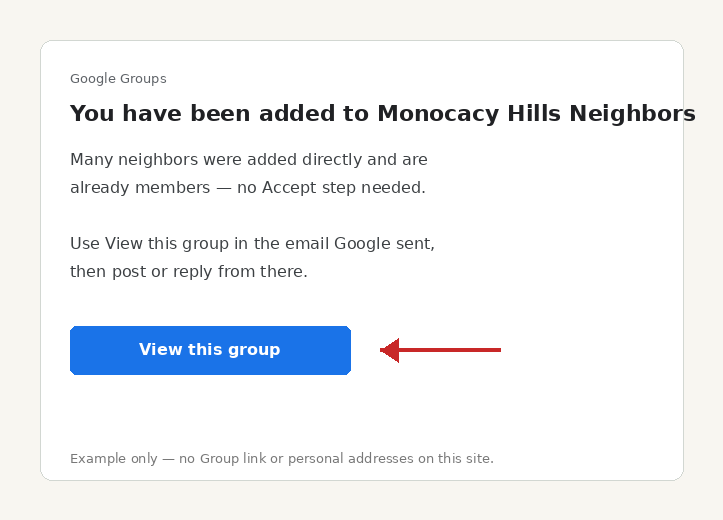
Many neighbors were added directly and are already members. Google's email says you were added to Monocacy Hills Neighbors (not an invite). Click the blue View this group button in that email, then post or reply from there. You don't need an Accept step — and this site does not publish a Group link.
- Watch for an email from Google Groups with the subject You have been added to Monocacy Hills Neighbors.
- Open it — it will say you were added to the group (already a member).
- Click the blue View this group button (shown in the example), then post or reply from there.
Got an invite instead?
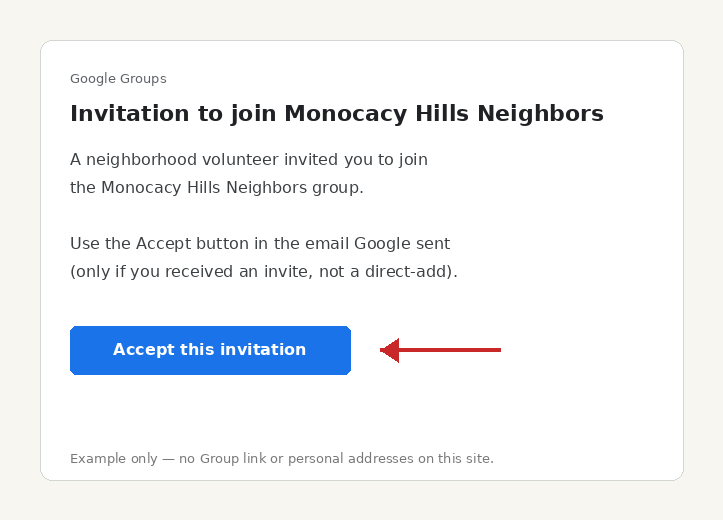
If your email says Invitation to join and the button is Accept this invitation, use that Accept button — you're not on the list until you do.
- Watch for an email from Google Groups (noreply@groups.google.com) with the subject Invitation to join Monocacy Hills Neighbors.
- Open it — it will say a neighborhood volunteer invited you to join the group.
- Click the blue Accept this invitation button (shown in the example). That's it — you're on the neighborhood list.
Not on the list yet? Request to join at join@monocacyhills.com with your street address and email(s). Already a member? Use the Group link Google emailed you — it is not posted on this site.
Quick answers
How to use the Google Group
- How do I post to the neighborhood?
- Once you're a member, open the Group from the link in Google's email (or reply to any Group message). Your note goes to everyone on the list. The Group web link and posting address are not published on this site — neighbors get them after join@ confirmation.
- I was added — do I need to Accept?
- Many neighbors were added directly and are already members. Click View this group in the Google email — you don't need Accept. If you got a true invite with Accept this invitation, use that button; steps: Added to the Group? Use Google's email.
- How do I request to join?
- If you're not on the list yet, email join@monocacyhills.com with your street address and email(s). A neighbor volunteer adds you from there — this site never signs anyone up automatically.
- How do I leave or stop the emails?
- Use the unsubscribe link on any Group message, or leave from Group settings. No reply-all “please remove me” needed.
About the neighborhood
Monocacy Hills sits in Bethlehem, Pennsylvania — tree-lined streets, familiar faces, and the kind of place where a quick note to neighbors still matters. Citywide, neighbors also organize through groups like Bethlehem for Unique Neighborhoods.
The public front door is the Neighborhood pulse. This page is only for joining the Group. Your name, phone, and email stay off these pages.